
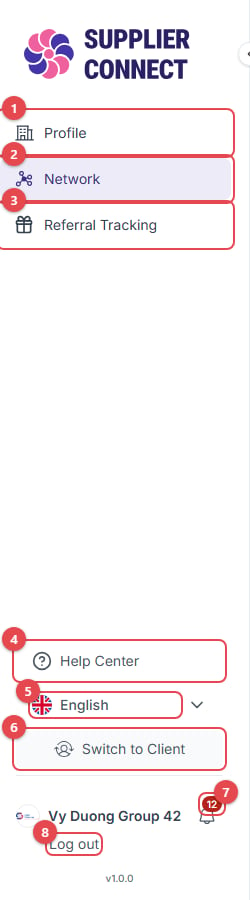
- Profile: your company profile (Supplier mode). In Client mode the menu shows Explore, My Network, Profile and Referral Tracking.
- Network: your connections with clients.
- Referral Tracking: invite companies to the platform.
- Help Center: send a question to the support team.
- Language: switch between English and Tiếng Việt.
- Switch to Client / Switch to Supplier: change mode. Companies with only one mode see Create Client profile / Create Supplier profile here instead. See Switching modes later.
- Notifications: the bell shows the number of unread notifications.
- Log out. Click your company name above it to open Manage organization and Change password.