> ## Documentation Index
> Fetch the complete documentation index at: https://docs.supplier-connect.io/llms.txt
> Use this file to discover all available pages before exploring further.
# Find suppliers with Explore
> Search for suppliers by keyword or in plain language, filter the results, and compare suppliers side by side.
Go to **Explore**. There are two search modes: **Standard** and **Advanced** (AI).
## Standard search
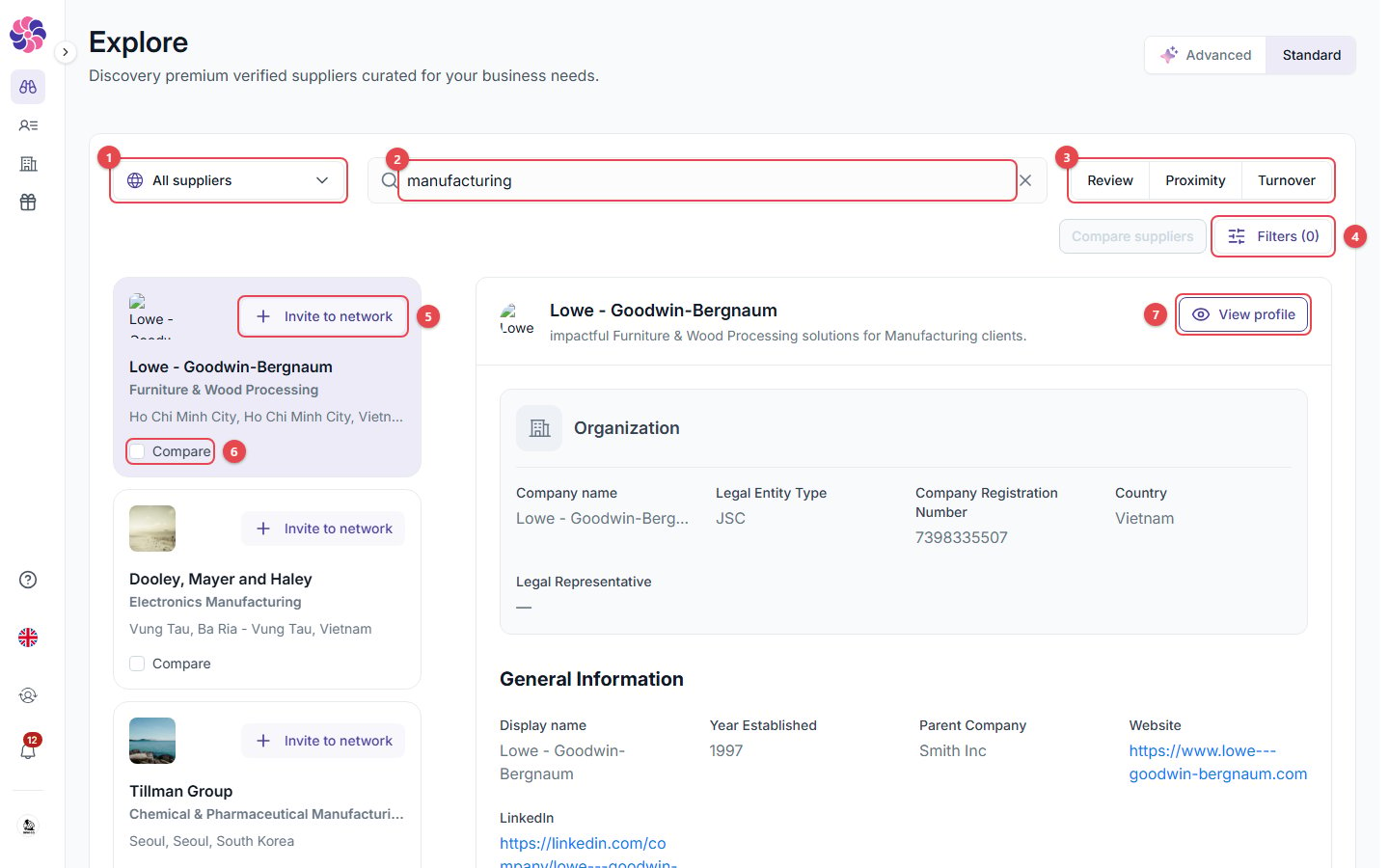 1. **Search scope**: where to search (see below).
2. **Search by keyword**: type a product, service or company name and press **Enter**.
3. **Sort** by **Review**, **Proximity** or **Turnover**.
4. **Filters**: narrow down the results.
5. **Invite to network**: invite this supplier to your portal.
6. **Compare**: tick suppliers to compare them side by side.
7. **View profile**: open the supplier's full profile. The panel on the right is a quick preview of the selected result.
### Search scope
1. **Search scope**: where to search (see below).
2. **Search by keyword**: type a product, service or company name and press **Enter**.
3. **Sort** by **Review**, **Proximity** or **Turnover**.
4. **Filters**: narrow down the results.
5. **Invite to network**: invite this supplier to your portal.
6. **Compare**: tick suppliers to compare them side by side.
7. **View profile**: open the supplier's full profile. The panel on the right is a quick preview of the selected result.
### Search scope
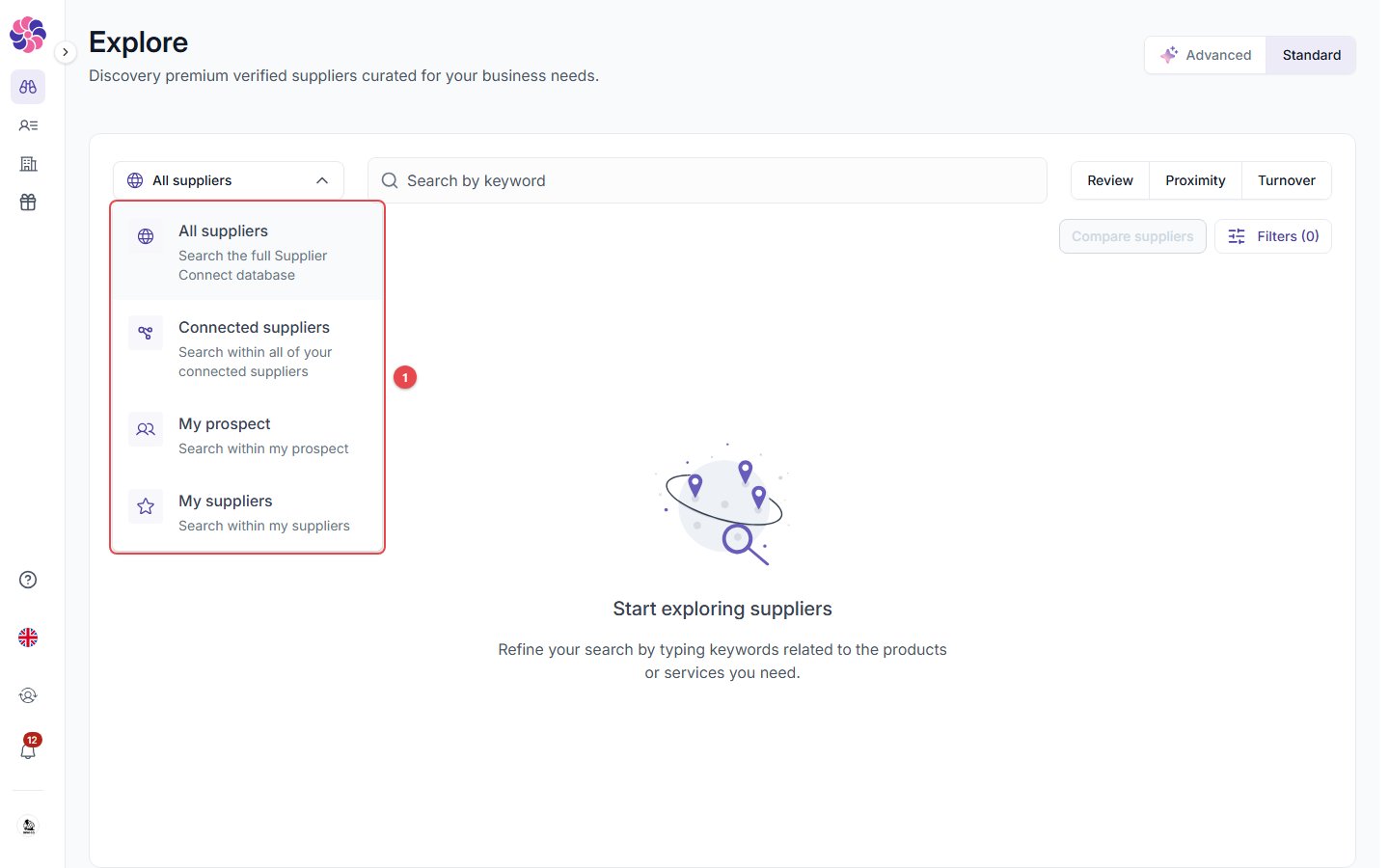 * **All suppliers**: the whole database.
* **Connected suppliers**: everyone in your portal.
* **My prospect**: suppliers that accepted but haven't been moved to My supplier.
* **My suppliers**: your active suppliers.
### Filters
* **All suppliers**: the whole database.
* **Connected suppliers**: everyone in your portal.
* **My prospect**: suppliers that accepted but haven't been moved to My supplier.
* **My suppliers**: your active suppliers.
### Filters
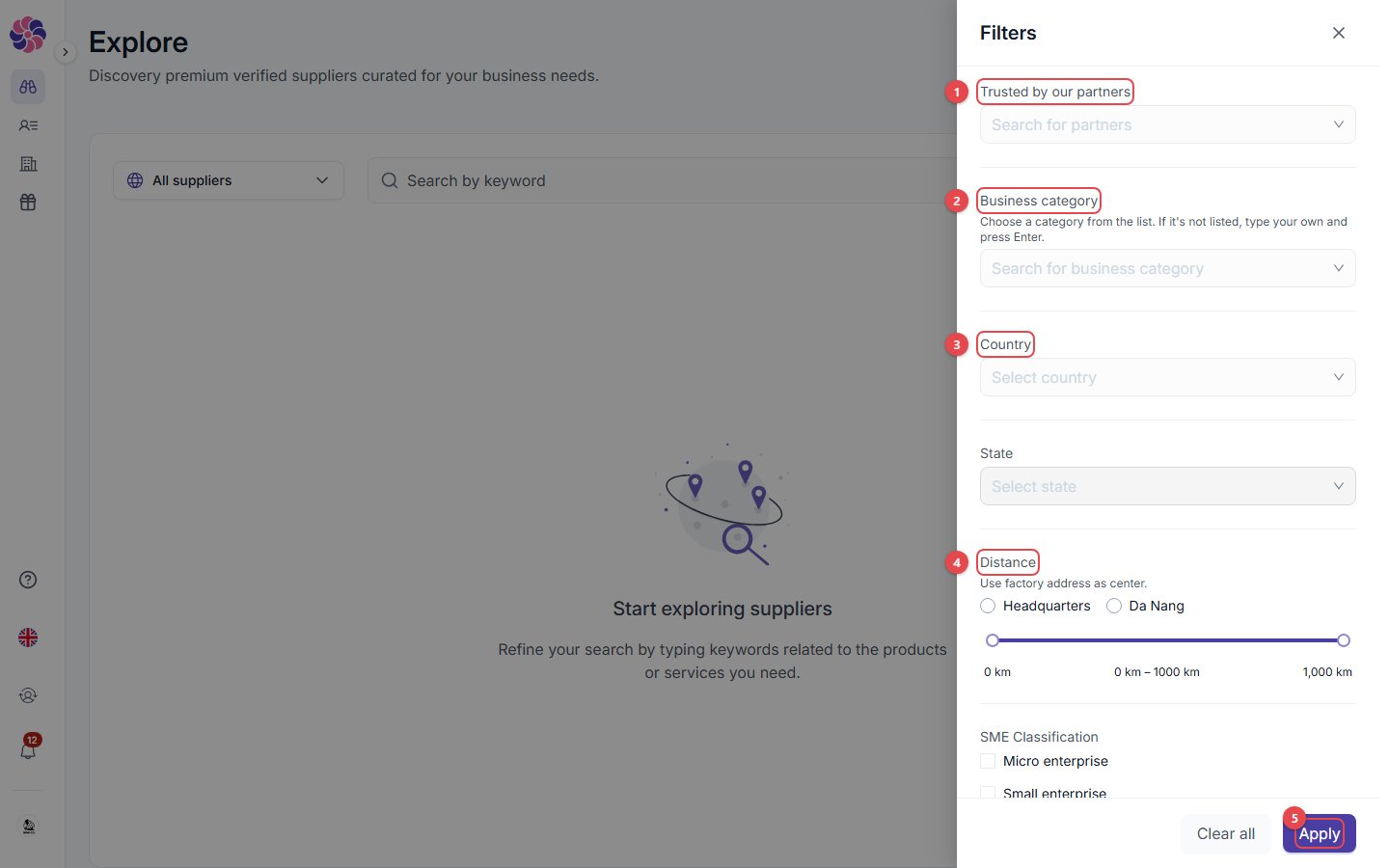 1. **Trusted by our partners**: limit results to suppliers trusted by the partners you pick.
2. **Business category**: pick from the list, or type your own and press Enter.
3. **Country** and **State**.
4. **Distance**: from your headquarters or one of your locations, from 0 to 1,000 km.
5. **Apply**: apply the filters.
Further down the drawer you'll find SME classification, number of employees, annual turnover and minimum overall review. **Clear all** resets everything.
## Advanced (AI) search
Click **Advanced** at the top right. Describe what you need in plain language, or click one of the **Suggestions**.
1. **Trusted by our partners**: limit results to suppliers trusted by the partners you pick.
2. **Business category**: pick from the list, or type your own and press Enter.
3. **Country** and **State**.
4. **Distance**: from your headquarters or one of your locations, from 0 to 1,000 km.
5. **Apply**: apply the filters.
Further down the drawer you'll find SME classification, number of employees, annual turnover and minimum overall review. **Clear all** resets everything.
## Advanced (AI) search
Click **Advanced** at the top right. Describe what you need in plain language, or click one of the **Suggestions**.
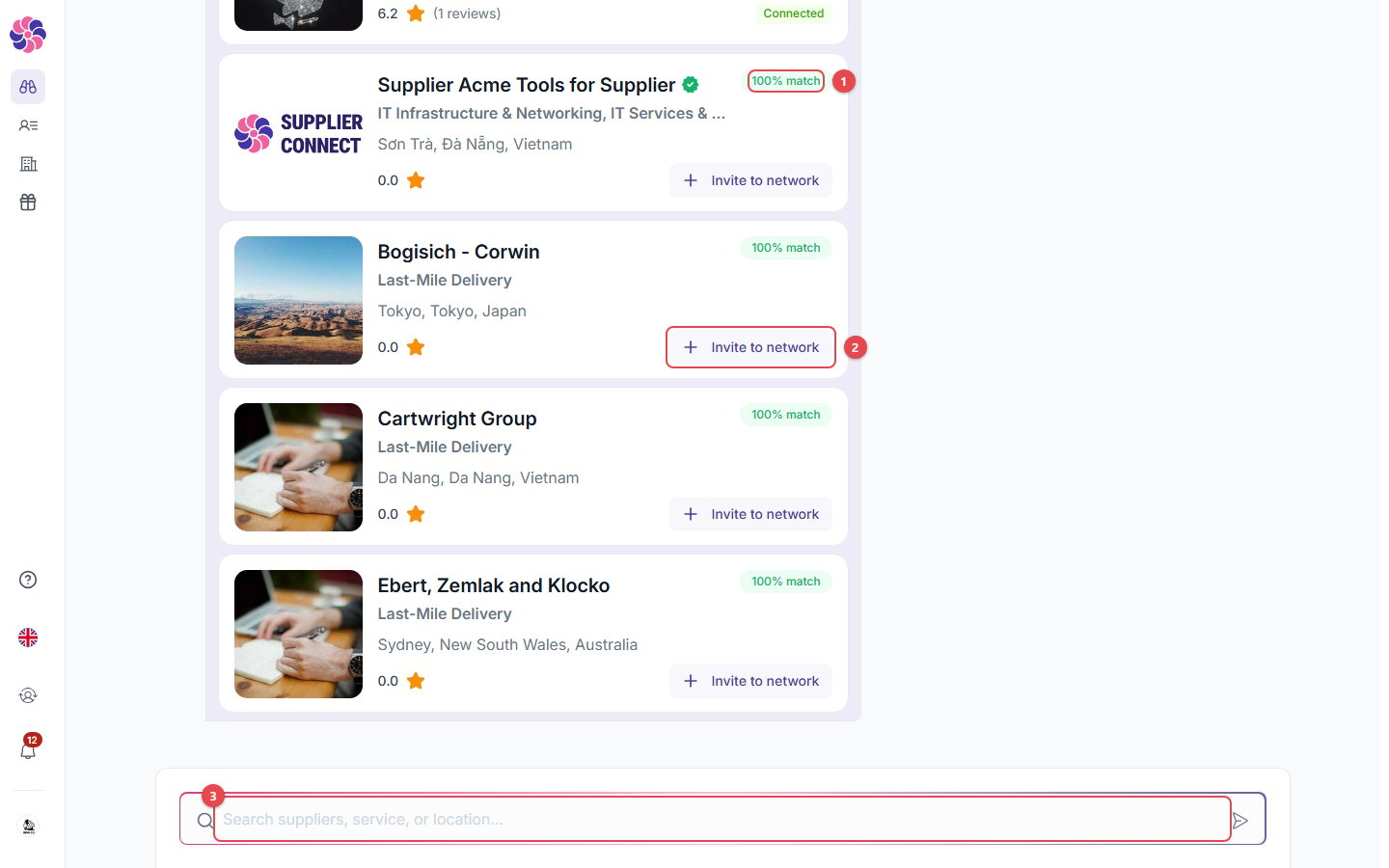 1. **% match**: how well each supplier matches your request.
2. **Invite to network**: invite the supplier straight from the results.
3. **Search box**: ask a follow-up or a new question. **Clear Chat** (at the top of the conversation) starts over.
The AI search can take a little while. It shows *Thinking…* until the results are ready.
## Compare suppliers
1. **% match**: how well each supplier matches your request.
2. **Invite to network**: invite the supplier straight from the results.
3. **Search box**: ask a follow-up or a new question. **Clear Chat** (at the top of the conversation) starts over.
The AI search can take a little while. It shows *Thinking…* until the results are ready.
## Compare suppliers
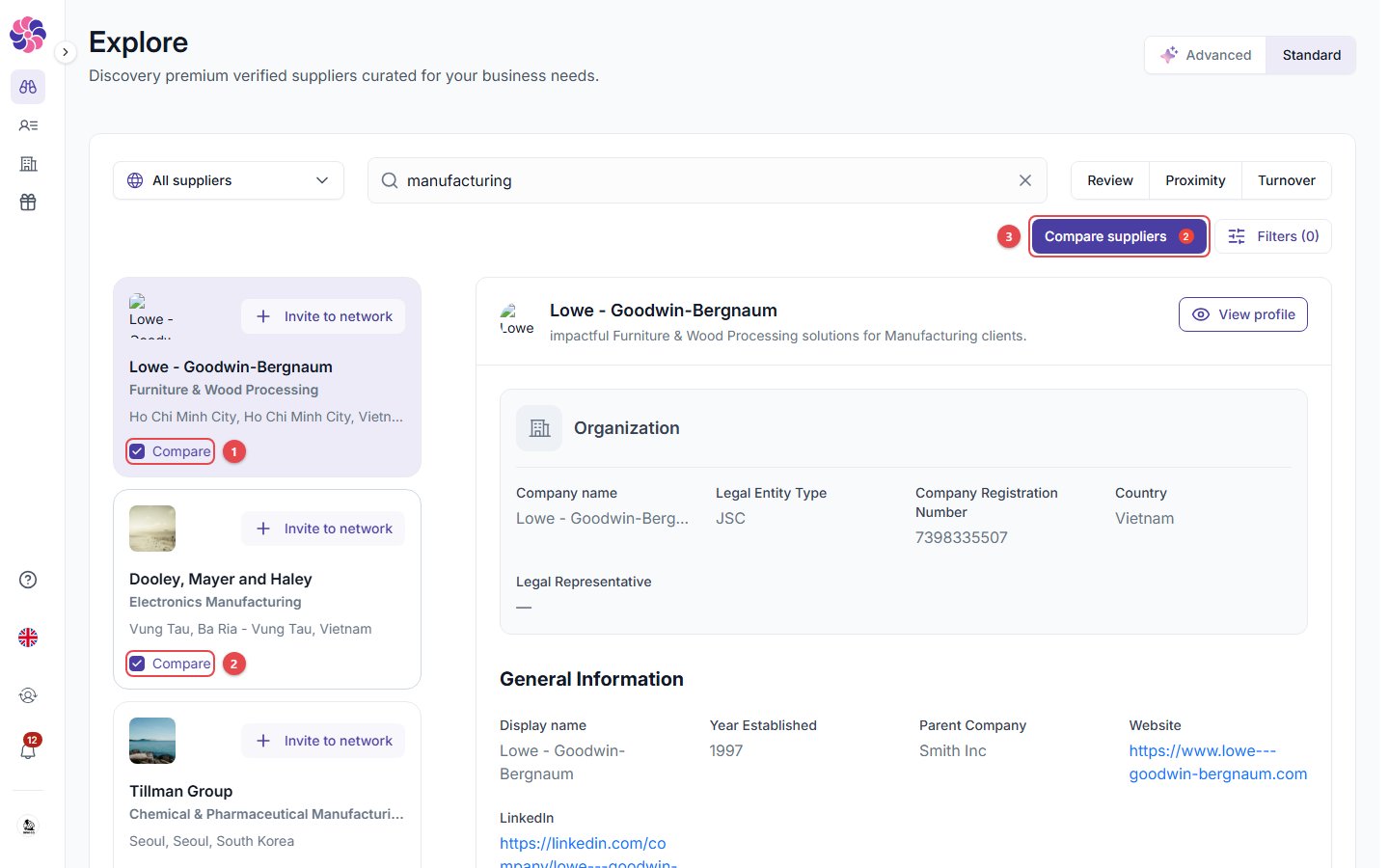 1. Tick **Compare** on 2 or more suppliers.
2. Click **Compare suppliers** (the badge shows how many are selected), then **View comparison**.
1. Tick **Compare** on 2 or more suppliers.
2. Click **Compare suppliers** (the badge shows how many are selected), then **View comparison**.
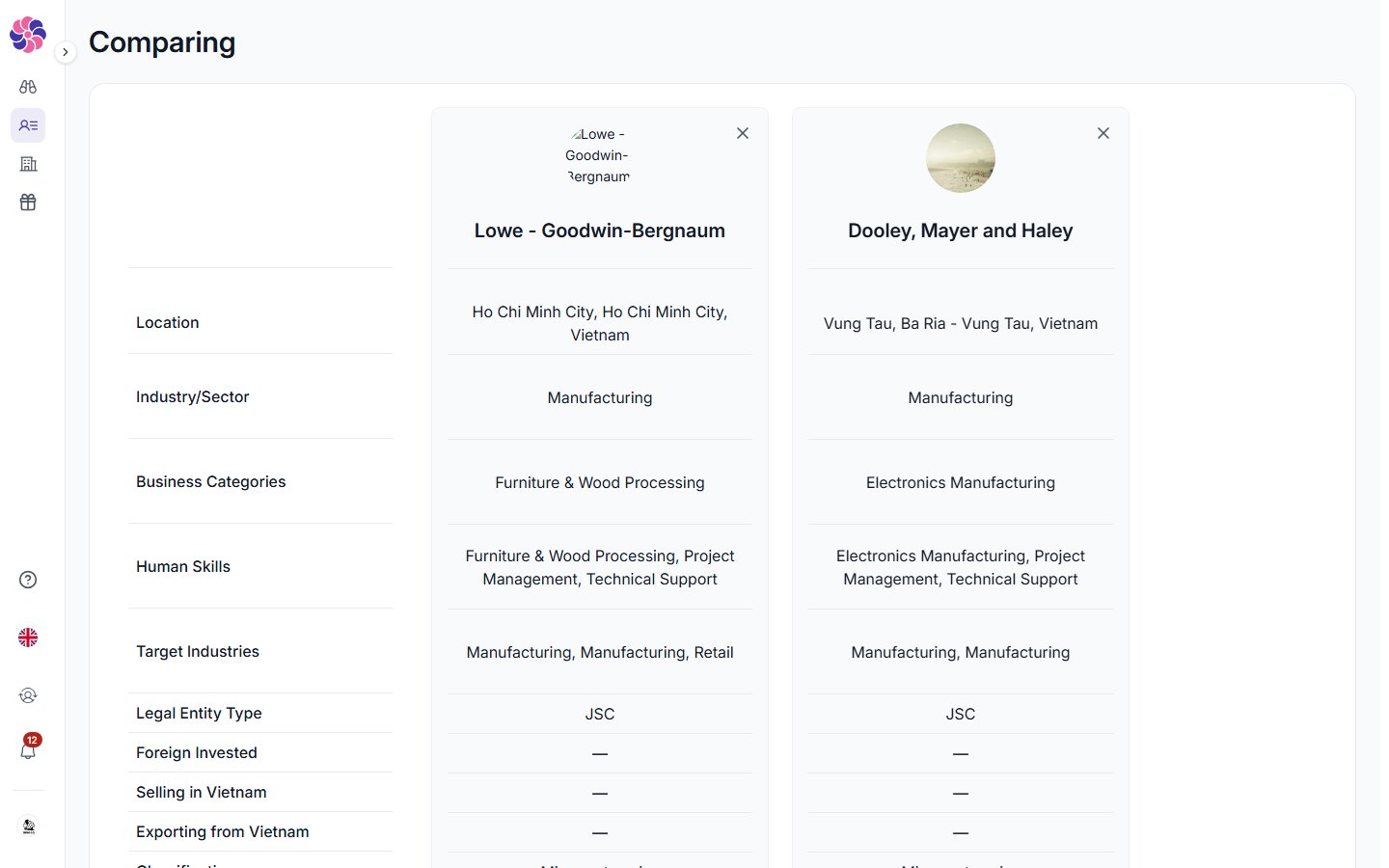 The comparison page lists location, industry, business categories, human skills, target industries, legal entity type, foreign investment, Vietnam sales/exports, classification, employees, certifications, review score and turnover side by side. Click **✕** on a column to remove that supplier.
## A supplier's profile
The comparison page lists location, industry, business categories, human skills, target industries, legal entity type, foreign investment, Vietnam sales/exports, classification, employees, certifications, review score and turnover side by side. Click **✕** on a column to remove that supplier.
## A supplier's profile
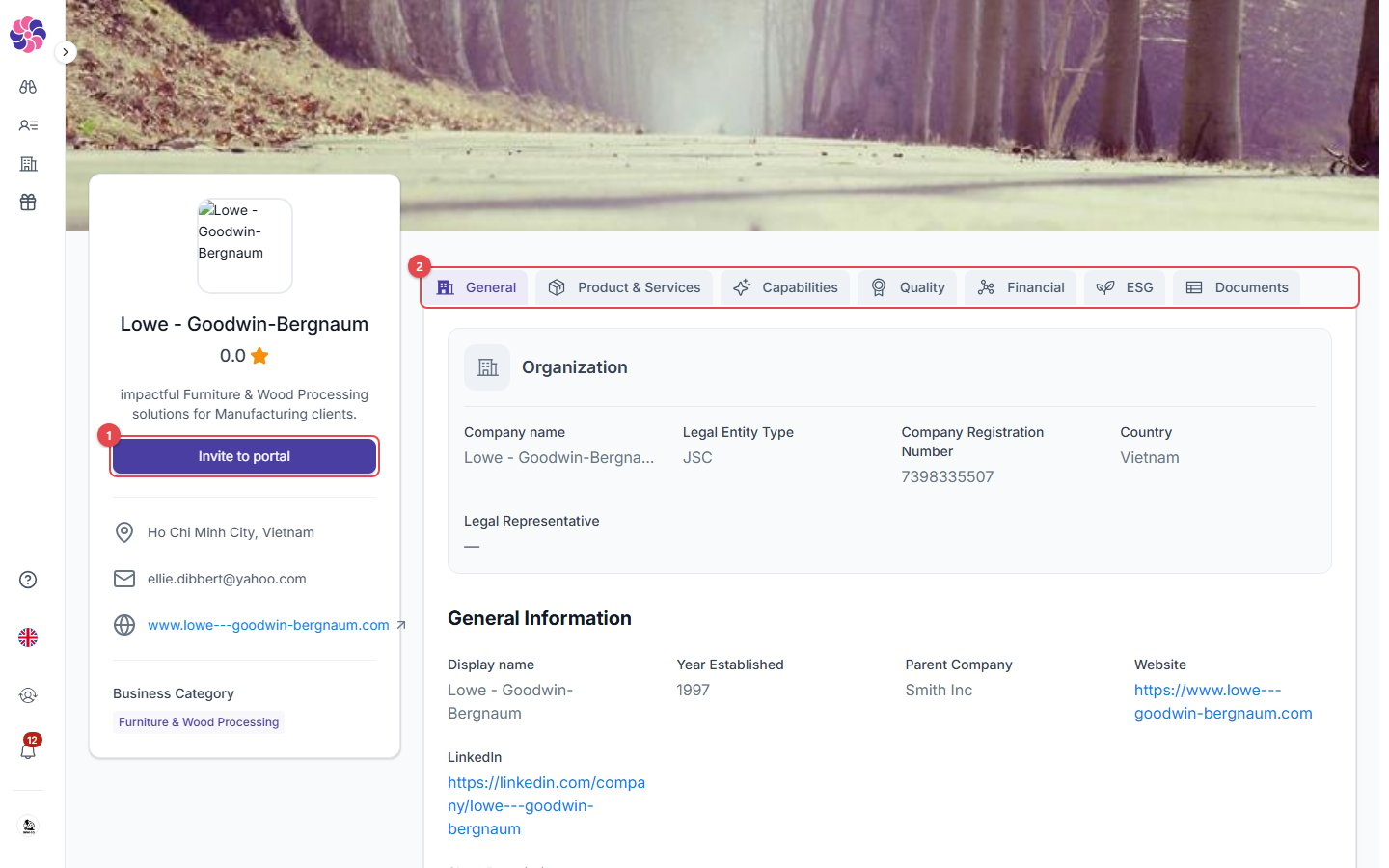 1. **Invite to portal**: send this supplier an invitation, optionally with an NDA.
2. **Profile tabs**: the same sections the supplier fills in. Some details show **Connect to unlock** until the supplier accepts your invitation. Suppliers with a green **✓** badge are **verified** by the Supplier Connect team.
This documentation is built and hosted on [Mintlify](https://mintlify.com), a developer documentation platform.
1. **Invite to portal**: send this supplier an invitation, optionally with an NDA.
2. **Profile tabs**: the same sections the supplier fills in. Some details show **Connect to unlock** until the supplier accepts your invitation. Suppliers with a green **✓** badge are **verified** by the Supplier Connect team.
This documentation is built and hosted on [Mintlify](https://mintlify.com), a developer documentation platform.