> ## Documentation Index
> Fetch the complete documentation index at: https://docs.supplier-connect.io/llms.txt
> Use this file to discover all available pages before exploring further.
# Notifications and account settings
> Manage notifications, change your password, and switch language.
## Notifications
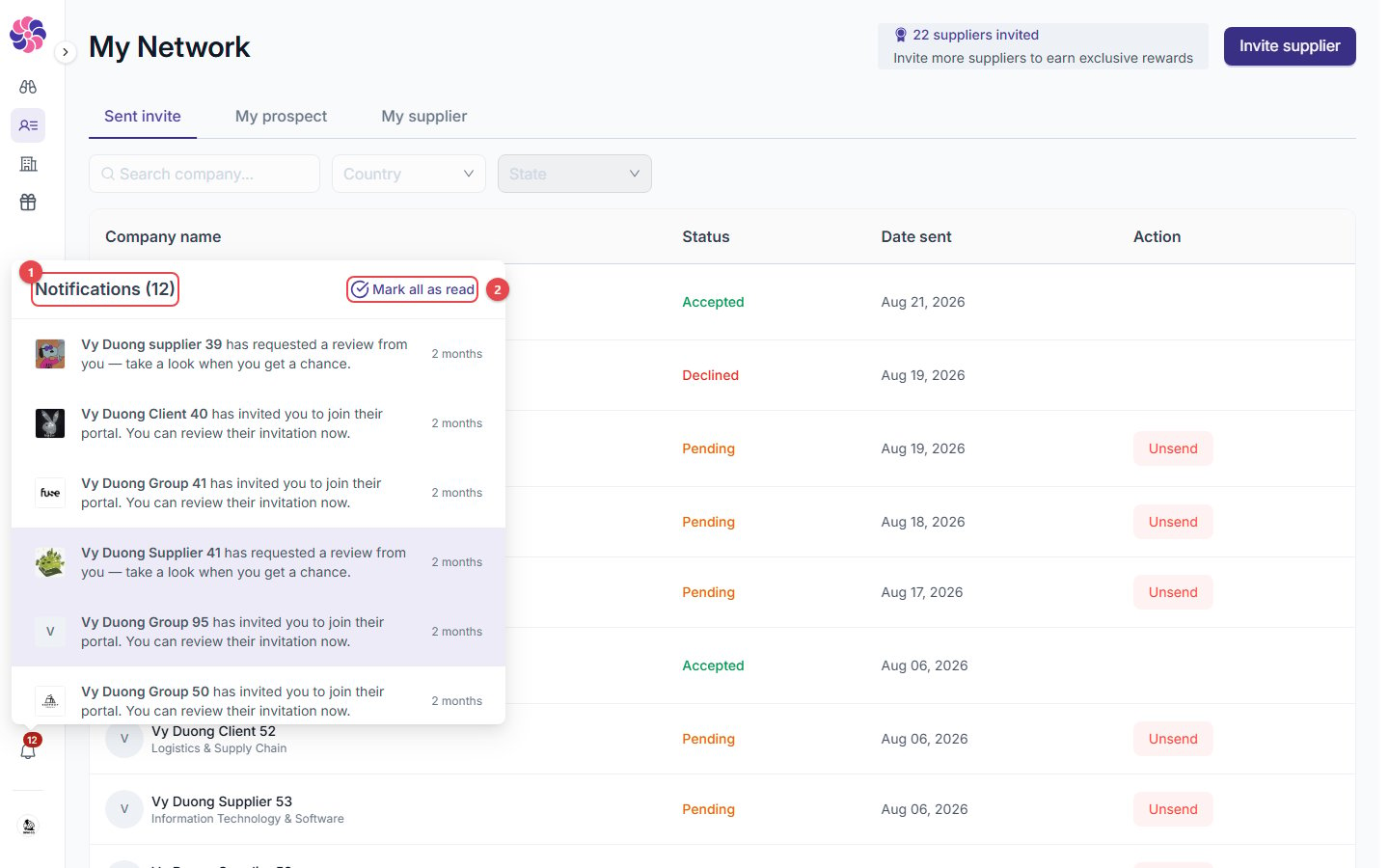 1. **Notifications**: click the bell in the sidebar. The list shows review requests, portal invitations and connection requests.
2. **Mark all as read**: clear the unread count.
## Account
To open **Manage organization** and **Change password**, click your **company name** at the bottom of the sidebar. You can also switch **Language** or **Log out** from the sidebar.
**Manage organization** holds company-wide details (legal name, legal entity type, registration number, country, legal representative). They are shared by your Supplier and Client profiles.
See [Find your way around](/getting-started/navigation) for every item in the sidebar.
This documentation is built and hosted on [Mintlify](https://mintlify.com), a developer documentation platform.
1. **Notifications**: click the bell in the sidebar. The list shows review requests, portal invitations and connection requests.
2. **Mark all as read**: clear the unread count.
## Account
To open **Manage organization** and **Change password**, click your **company name** at the bottom of the sidebar. You can also switch **Language** or **Log out** from the sidebar.
**Manage organization** holds company-wide details (legal name, legal entity type, registration number, country, legal representative). They are shared by your Supplier and Client profiles.
See [Find your way around](/getting-started/navigation) for every item in the sidebar.
This documentation is built and hosted on [Mintlify](https://mintlify.com), a developer documentation platform.