> ## Documentation Index
> Fetch the complete documentation index at: https://docs.supplier-connect.io/llms.txt
> Use this file to discover all available pages before exploring further.
# Contact support
> Get help from the Supplier Connect team.
## Help Center
In the app, open **Help Center** in the sidebar.
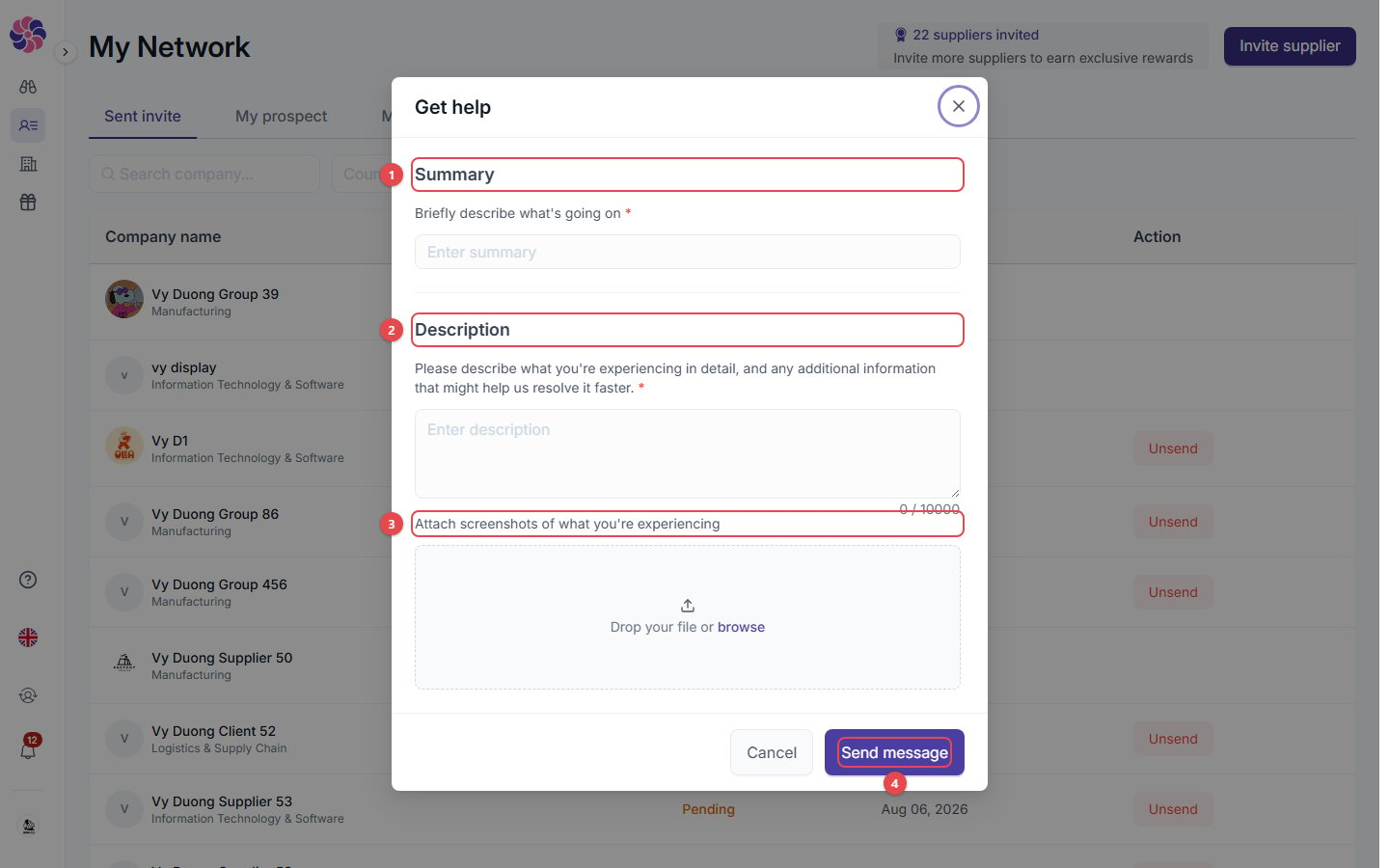 1. **Summary**: a short description of the problem.
2. **Description**: the details.
3. **Attach screenshots**: optional, but they help us solve the problem faster.
4. **Send message**: the support team reviews your case and gets back to you as soon as possible.
## Email
Email us at [help@supplier-connect.io](mailto:help@supplier-connect.io).
Before you contact us, check [FAQ & troubleshooting](/account/faq). Most error messages are explained there.
This documentation is built and hosted on [Mintlify](https://mintlify.com), a developer documentation platform.
1. **Summary**: a short description of the problem.
2. **Description**: the details.
3. **Attach screenshots**: optional, but they help us solve the problem faster.
4. **Send message**: the support team reviews your case and gets back to you as soon as possible.
## Email
Email us at [help@supplier-connect.io](mailto:help@supplier-connect.io).
Before you contact us, check [FAQ & troubleshooting](/account/faq). Most error messages are explained there.
This documentation is built and hosted on [Mintlify](https://mintlify.com), a developer documentation platform.